Should all old links be migrated at once?
No. Start with still-active links, printed QR codes, partner links and visible domains. Archives without traffic can wait or remain documented without being moved immediately.
Migration guide
A link migration is not just copy and paste. You need to know which links still live, which slugs matter, which domains are used and which assets cannot be edited.
List still-published links, printed QR codes, branded domains, active campaigns and links that still generate traffic. The rest can be archived or imported later.
In Migration, a Bitly API token prepares a preview of links from the selected group. Preparing the draft creates no links: review the batch before confirming the import. For a Bitly, Short.io or Rebrandly CSV export, open Short links, then CSV import, and choose the file source instead. That form imports on submission: start with a small checked file, not your entire inventory. Import creates short links; it does not automatically rebuild your previous tool’s rotation campaigns.

Slugs, domains and QR codes already visible to customers should be treated as priorities. A mistake on these links is immediately visible, unlike a forgotten internal link.
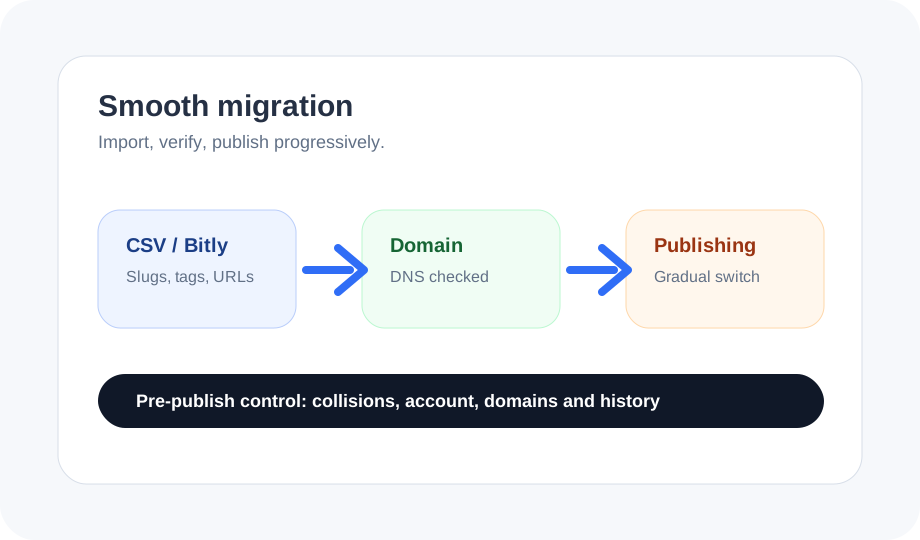
Review destinations and the selected mode when a slug already exists. Creating only new links avoids updating existing links; creating or updating by slug can change their destination. Check the actual address created, not just the requested name. The Bitly screen shows a sample of the batch, while confirmation covers all its rows. Import does not copy historical click counters: export reports from your previous provider before closing that account, then track new clicks separately in Linka Factory.
Start with a representative batch: a few simple links, one campaign, one domain and one QR. Check redirects, analytics and ability to fix things before importing the rest.
Importing does not give you control of a link on bit.ly or another provider-owned domain. Keep it with that provider or replace the shared address. With your own domain, you can prepare the same paths in Linka Factory, test their resolution, then switch DNS. Check printed QR codes in particular: they contain the original address, not just the slug.
Keep the old tool available during transition. Full cutover should come after tests, not before, especially if printed assets or partner links still exist.
Related guides
For the next step, see custom domain for short links.
For the next step, see choose a campaign URL shortener.
For the next step, see print QR code checklist.
For the next step, see Bitly, Short.io and Rebrandly migration.
No. Start with still-active links, printed QR codes, partner links and visible domains. Archives without traffic can wait or remain documented without being moved immediately.
First identify already published slugs and domains, then test by batches. Each batch should check redirect, analytics, domain, QR and fallback before cutting over from the old tool.