
Should you use the main domain or a short subdomain?
A dedicated subdomain is often cleaner: it separates short links from the main website, limits DNS risk and remains readable in SMS, QR, email or partner campaigns.
Domain guide
A custom domain is not only cosmetic. It reassures, clarifies link origin and becomes a durable asset for campaigns, QR and direct messages.
A branded domain becomes important as soon as the link is seen by a customer: SMS, flyer, QR, advertising, email or partner. It reduces friction and makes the link more recognizable.

Choose a dedicated subdomain, keep a record of the CNAME target and wait for validation before using it in an important campaign. DNS should be treated as a publishing step.
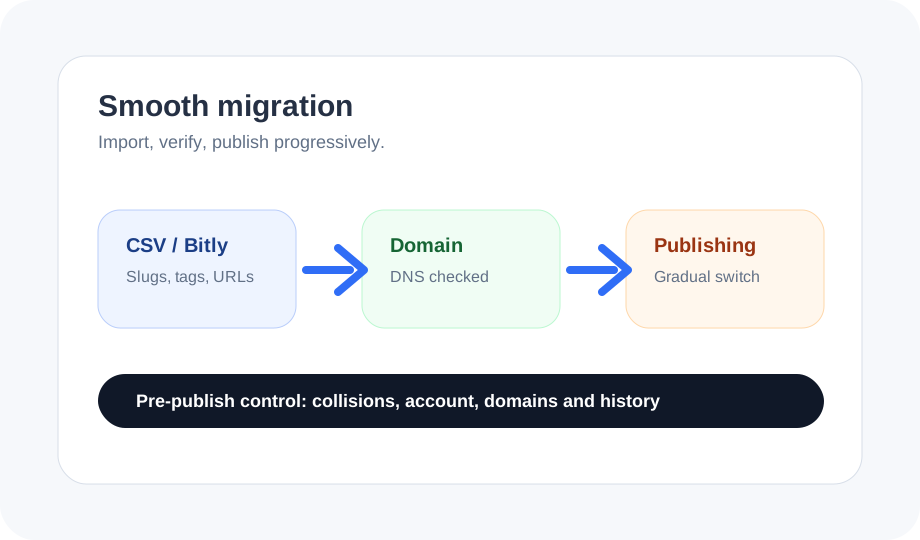
Add the subdomain in Domains, then copy the records shown in its DNS setup to your DNS provider. The connection CNAME target is connect.linkafactory.com; any verification records belong to the displayed domain. Do not replace your main website’s records. A correct CNAME alone does not prove everything is ready: also check domain status, SSL certificate and route before launching a campaign. If a check fails, read the latest feedback and check again after propagation.
Create a few pilot links: one campaign, one QR, one simple short link. Check redirect, analytics, domain display and mobile behavior.

When your access permits it, the account owner can set two HTTPS fallback pages: one for the domain root and one when no slug matches. For example, go.example.com/ can open your website, while an unknown path leads to a help page. Without a fallback URL, the default behavior remains. These pages serve addresses with no associated link; they do not reactivate a paused campaign. Test each case before sharing the address on assets that are difficult to change.
The domain should remain tied to the right account and use cases. Clear separation avoids a client, brand or campaign reusing a domain that does not belong to it.
Related guides
For the next step, see migrate from Bitly, Short.io and Rebrandly.
For the next step, see print QR code checklist.
For the next step, see choose a campaign URL shortener.
For the next step, see custom domains.
A dedicated subdomain is often cleaner: it separates short links from the main website, limits DNS risk and remains readable in SMS, QR, email or partner campaigns.
Check DNS validation, owning account, HTTPS redirect, mobile behavior, fallback links and first campaigns. The domain becomes a customer asset: it must be assigned without ambiguity.